01 / Inventory
“Which stock count is right?”
Build a clearer way to manage products, variations and availability, with agreed import and update workflows.
Business Apps / Built around your operation
Custom tools that bring inventory, checkout and everyday work together—built around how your team actually operates.
An example workflow
Illustrative workflow. Features and integrations are confirmed during discovery.
Start with the friction
01 / Inventory
Build a clearer way to manage products, variations and availability, with agreed import and update workflows.
02 / Customer flow
Connect selection, intake and checkout steps where your existing platforms support it. Reduce repetitive entry without replacing everything.
03 / Operations
Turn a repeated process into a guided workspace, with clear permissions, useful status views and a documented handoff.
Featured example / Starmarked Studio
A workspace designed around permanent jewelry businesses. Explore the real inventory interface and customer-flow preview to see how a focused business tool can look and feel.
Built by DanieleLabs / Starmarked Studio
Real Studio screens, presented in illustrative device frames. Select any screen to see the full image.
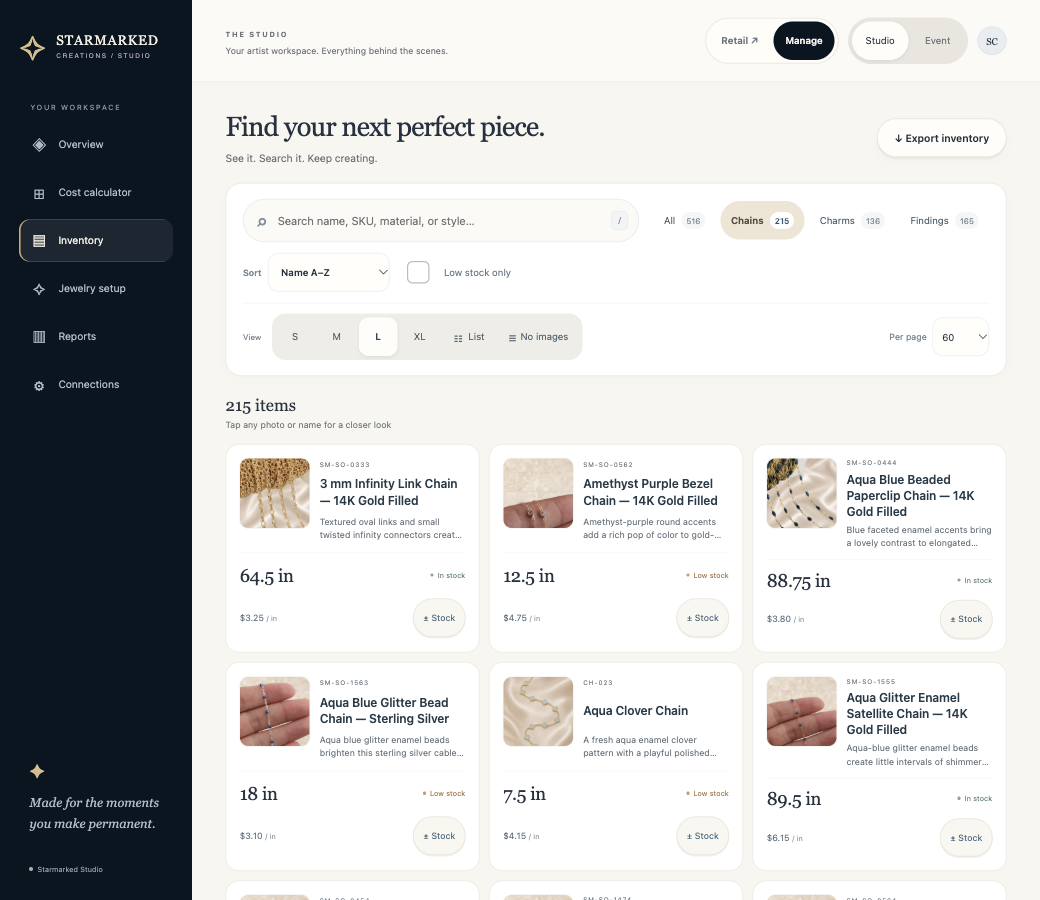
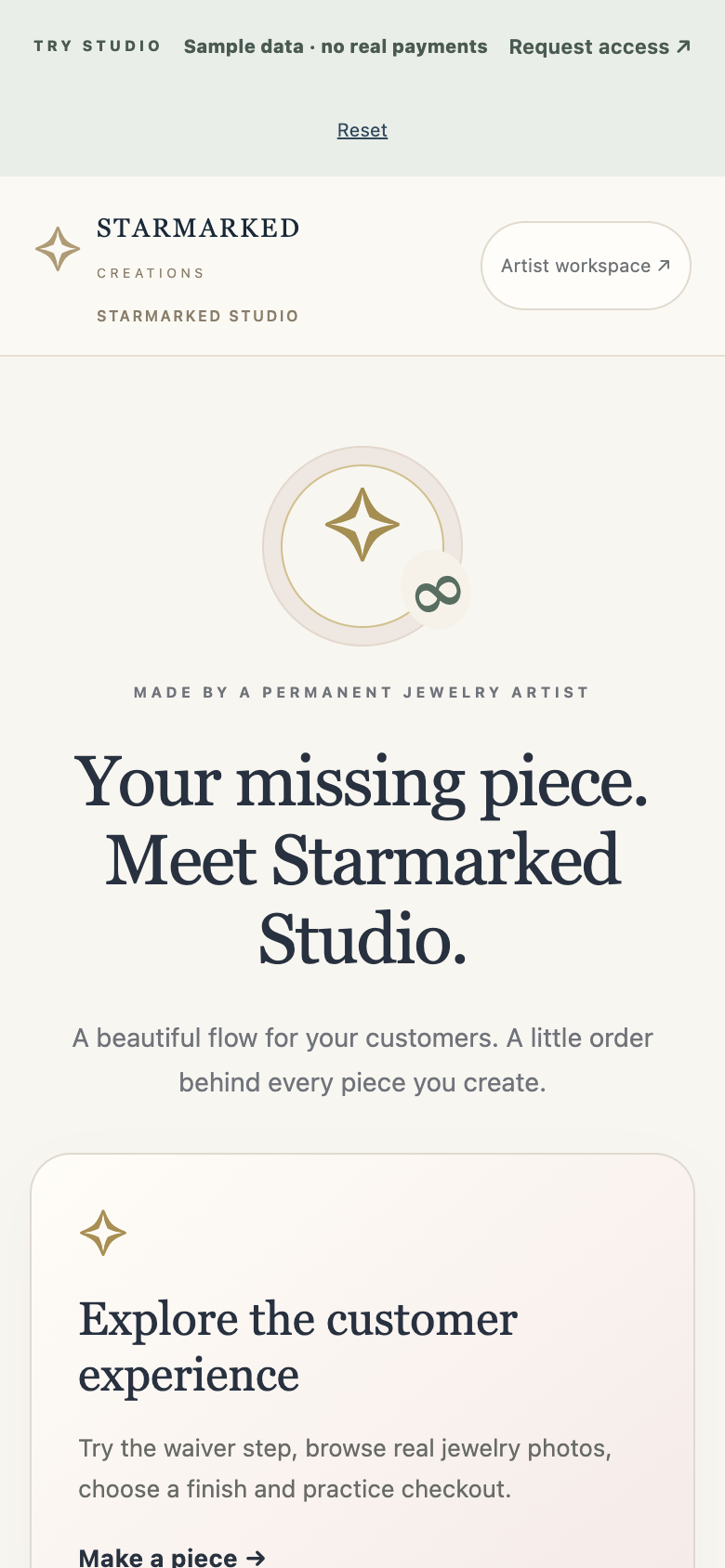
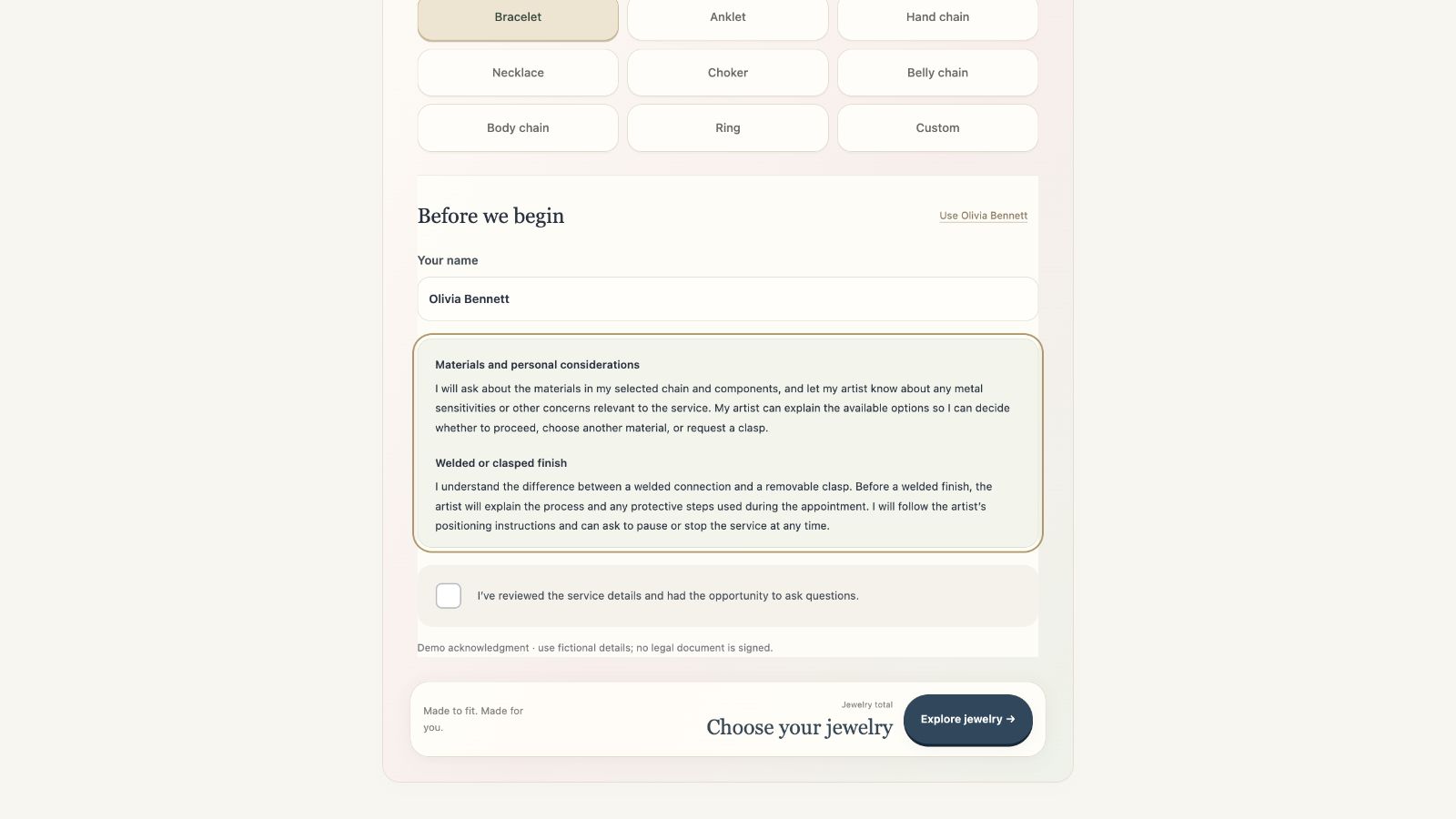
Studio is a specific product with its own plans. It illustrates our approach; your custom app’s scope, integrations and price are agreed separately. Screenshots show demonstration content in illustrative device frames.
A practical way to build
Start with the smallest version that solves a real business problem. Review a working preview before committing to the next phase.
Tell us what you need ↗Identify users, tools, data and the steps that cost your team time. Agree what success looks like.
Receive a written scope, milestones, acceptance checks and a price before development starts.
Review real workflows on the agreed devices. Launch with documentation, training and an agreed support plan.
Pricing / Scoped to the work
Custom app projects are quoted after discovery. We define the first release and separate build costs from ongoing expenses.
Need a marketing website instead? Explore website packages from $2,500.
Before we build
That is where we start. We verify available integrations, access and provider costs before promising a connection. Some platforms limit what can be automated.
We agree the target devices and workflows during scoping. A responsive browser app is often a practical starting point; native mobile apps, offline operation and device hardware connections need separate evaluation.
No. Studio serves a particular business workflow and has its own product plans. Custom projects are scoped for your business, and may reuse suitable components where agreed.
We scope access, data handling, backups and support responsibilities with the project. A custom app does not automatically include a compliance assessment or certification.
Start with the problem
Describe the process you want to improve, the tools you use and who needs access. Keep customer records, credentials and other sensitive data out of your first message.